
Materials needed
For this activity you’ll need:
- The worksheet for this activity (either opened in a PDF viewer on a desktop/tablet computer or printed out).
Image to add: Worksheet with link to page
OneAof the following versions of the knee kit:Minimal muscle set knee kitFull muscle set knee kit
Image to add:Human KneekitActiveinLearningtheKitrequired(BasicstateorwithFullallmodel).
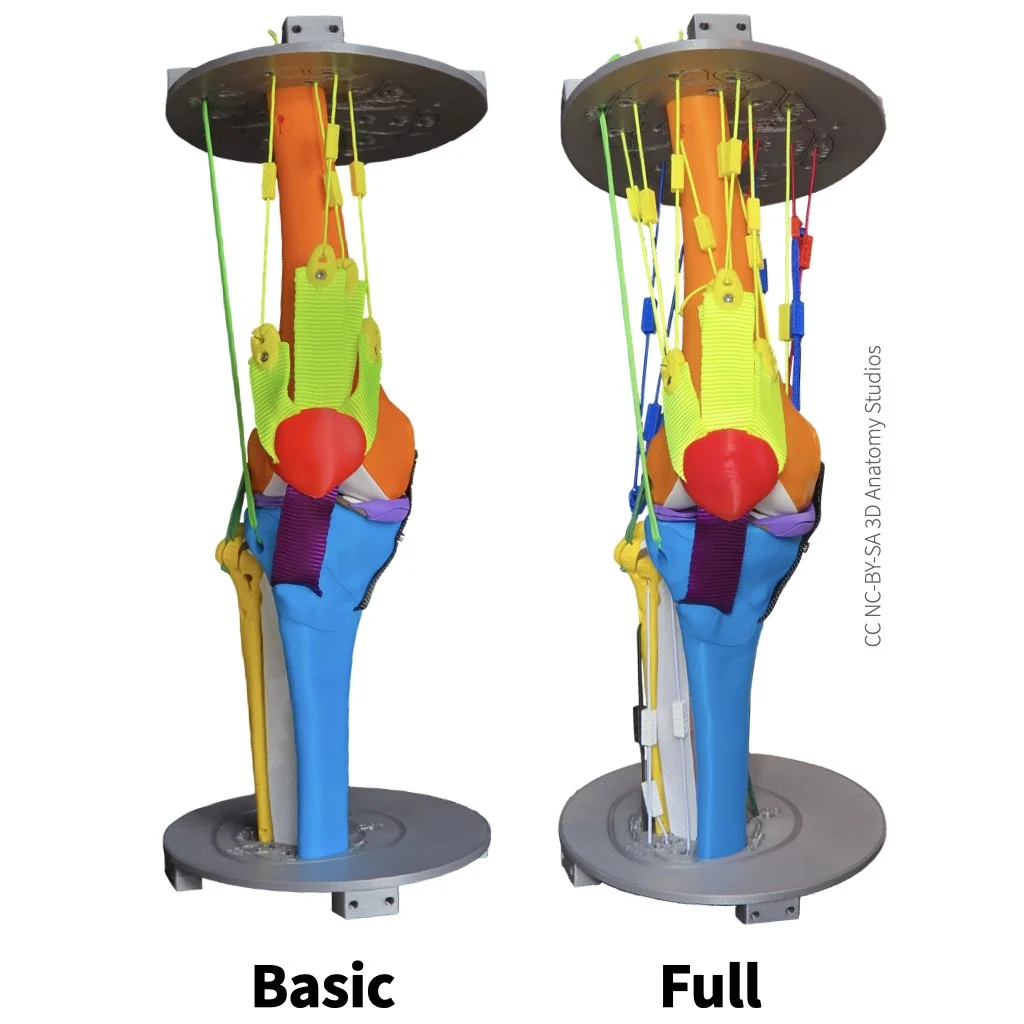
Basic IT tract,(left) and onlyFull the(right) minimalKnee muscleKit setModels.
Be sure that your knee kit has the Iliotibial (IT) tract/band attached; this is one of the ligaments you will knock out.

The iliotibial (IT) band/tract
You do not need any of the muscles for this activity.activity or the patella. If your knee kit has muscles attached, removedetach all the muscles.muscles and attach them to their designated spot on the parts plate(s) (see instructions for detaching muscles). You can leave the patella to hang from the patellar ligament or you can remove the patella by unscrewing the screw behind the patellar ligament using the Allen wrench.wrench. IfOnce you've finished preparing your kneemodel kitfor doesn'tthis activity, it should look like one of the kitsimages inbelow.
Image imageto above,add: followBasic thesemodel instructionswith forall assemblingmuscles ordetached disassemblingand yourpatella kithanging and basic model with all muscles detached and patella removed.
While this activity can be done with the the Mini version of the Knee Kit, Model, be aware that the IT tract is a significant stabilizer of the knee. Since the Mini version of the Knee Kitmodel does not include an IT tract, your results will not include its contributions. If you're doing this activity without an IT tract, it's best to assume that any conclusions you draw are for a knee in which the IT tract is already damaged or without taking into account its contributions.
- The Allen wrench and ruler from your kit (if your kit has two Allen wrenches, you'll need the larger one).
Image to add: Allen wrench and ruler from kit