
What are the motion axes of the knee?
As you found in the previous step, it's challenging to observe all the ways the knee can move from observing your own knee. Your knee kit reproduces all of the motions of a normal knee with magnitudes comparable to a healthy knee and allows you to observe directly how the bones are moving, without needing X-ray vision. You'll use your knee kit to diagram each of the knee's four axes of motion.
On page 2 of your worksheet, you'll find a table. The three columns contain diagrams of the knee from three views: lateral, anterior, and superior. The four rows correspond to each of the four motion axes of the knee. For each of the 12 diagrams, you'll draw a projection of the corresponding axis of rotation or translation, just as you did for the cat and mouse on page 1. For all of your motion simulations, you'll keep the femur stationary (like the cat) and move the tibia and fibula relative to the femur (like the mouse).
It would be perfectly equivalent to describe the knee motion axes by keeping the tibia and fibula stationary and moving the femur. Since you're simply describing the motion of one object relative to another other, it doesn't matter which is fixed versus moving. But in describing multiple motion axes it's simpler to choose one bone as the stationary object for all the axes.
Flexion-extension rotation
The most obvious axis of knee motion (the one with the greatest magnitude of motion) is flexion-extension rotation. This is one motion that you likely identified with your own knee. Flexion decreases the angle between the posterior leg and posterior thigh while extension increases this angle (recall that in anatomy, "thigh" refers to the part of the lower limb between the hip and knee and "leg" refers to the part of the lower limb between the knee and ankle).
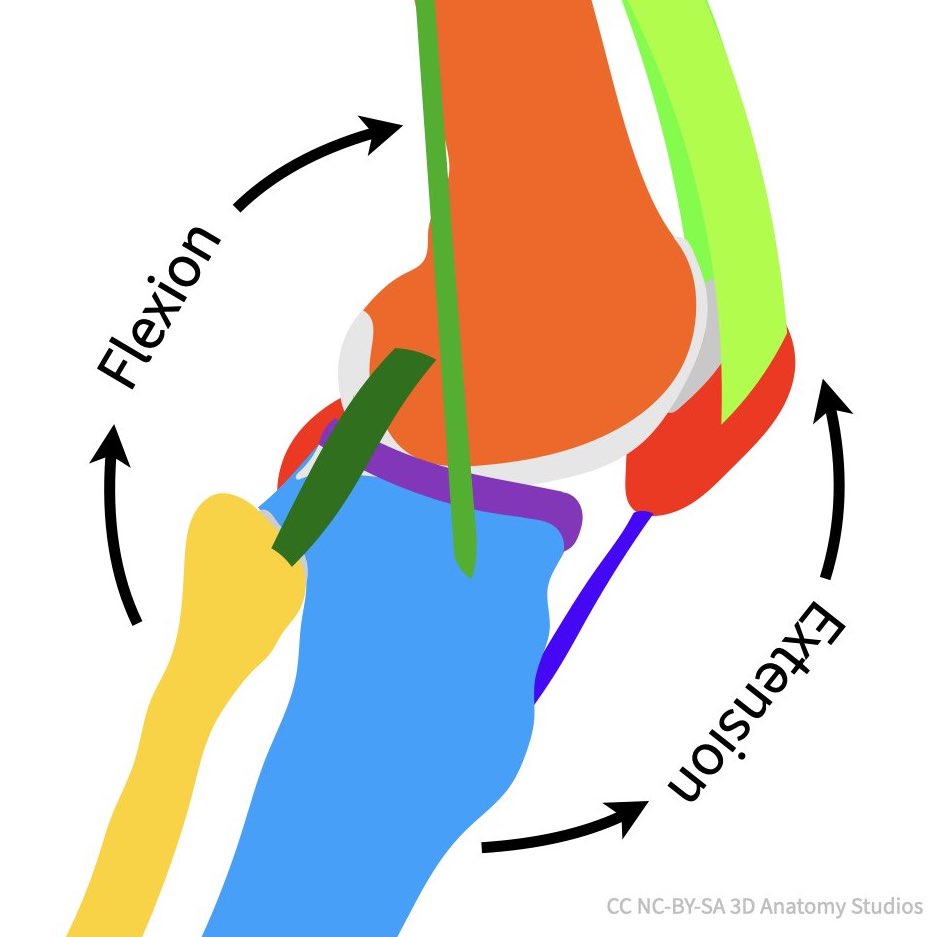
A diagram of the knee in lateral view with arrows showing the direction of flexion versus extension.
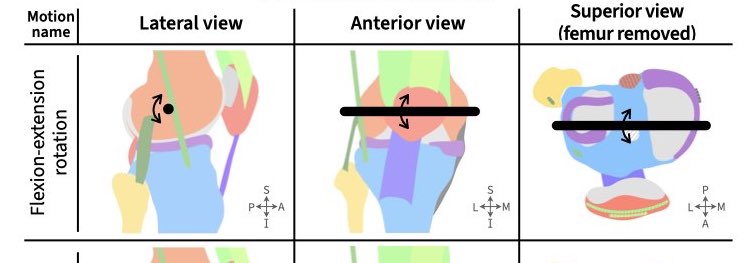
Simulate flexion-extension rotation using your knee kit, using the video below as a guide and draw the axes of rotation on each of the three diagrams in the top row of your worksheet. Your knee kit is capable of rotating the full normal range of flexion and extension though if you have both cross section plates attached (not applicable if your knee kit is a Mini model), the plates will prevent full flexion by 10-20 degrees. Once you think you have it correct, check your answers below.
Video of flexion and extension using Mini model
ASSESS
The axes of rotation you drew should look similar to the image below, roughly parallel to the mediolateral body axis. You should have positioned the axis of rotation somewhere near the middle of the femoral condyles (don't worry about the precise position for this activity). That is, the tibia's flexion-extension axis of rotation does not actually pass through the tibia at all.
Longitudinal rotation
The next motion axis of the knee is not as obvious as flexion and extension but it is possible to see with your own knee. Start by sitting in a chair with your knee flexed at 90 degrees and your foot suspended off of the floor. Next, rotate your foot outward keeping your foot straight and not rotating your ankle (keep your ankle and foot "frozen"). You should see your foot rotate by about 30 degrees. If you're having trouble, use the video below to help you.
Video of longitudinal rotation of the knee using real knee
This is longitudinal rotation of the tibia (or long-axis rotation because the tibia is spinning about its "long axis"). Most people are completely unaware that their knee is capable of this motion but your knee is moving along this motion axis all the time especially when standing and changing direction while walking or standing up. Rotation of the tibia that brings the toes closer to the midline is medial rotation whereas the opposite is lateral rotation.
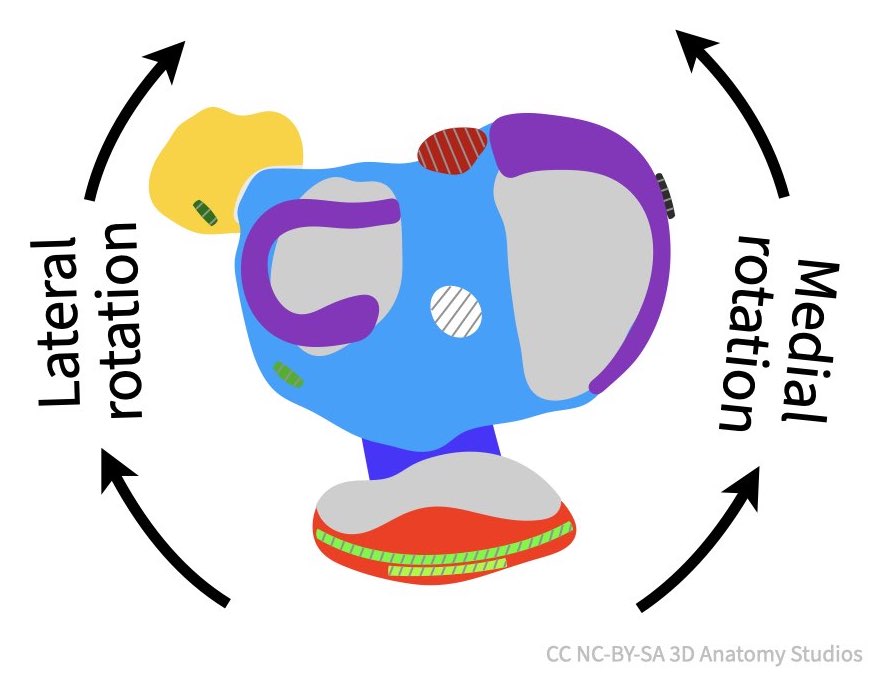
A diagram of the knee from a superior view (femur removed) with arrows showing the direction of medial versus lateral rotation.
Simulate longitudinal rotation with your knee kit using the video below to help you and then draw the axes of rotation on each of the three diagrams in the second row of your worksheet.
Video of longitudinal rotation of the knee using knee kits
Varus-valgus rotation
These last two motion axes are not obvious from observing your own knee moving. They are smaller in magnitude and therefore more subtle (except in the case of injuries to particular knee ligaments). The first is varus-valgus rotation. Varus rotation decreases the angle between the medial aspects of the femur and tibia whereas valgus rotation decreases the angle between the lateral aspects of the femur and tibia.
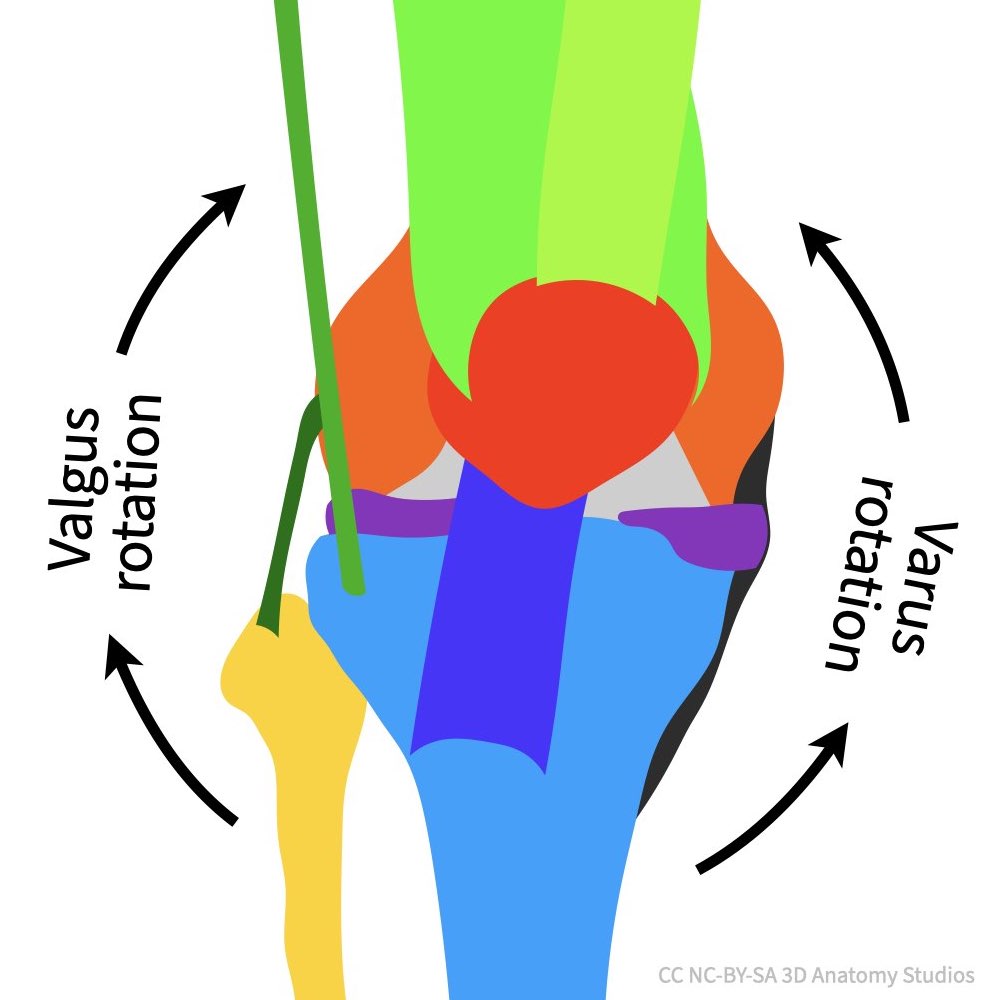
A diagram of the knee from an anterior view with arrows showing the direction of varus versus valgus rotation.
One way to remember valgus versus varus is that varus rotation increases the space between the left and right knees ("bow-legged") as if to accommodate the letter "R" (since "varus" has an "R") whereas valgus rotation decreases the space between the knees ("knock-kneed") as if squeezing the vertical line of the letter "L" (since "valgus" as an "L").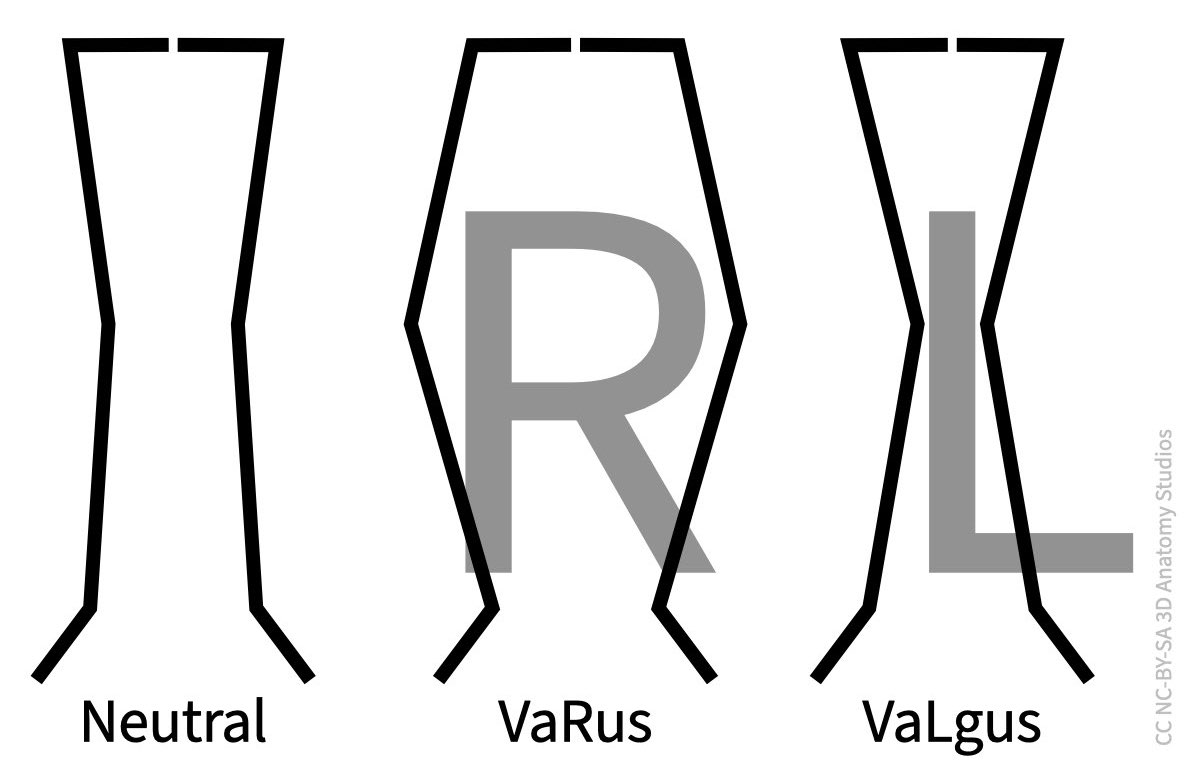
Replace image with vector sketches of bones? This looks like flexion-extension
Simulate varus-valgus rotation with your knee kit using the video below to help you and then draw the axes of rotation on each of the three diagrams in the third row of your worksheet.
Video of varus-valgus rotation of the knee using knee kits
Anterior-posterior translation
The last motion axis of the knee is anterior-posterior translation. Like varus-valgus rotation, the magnitude of this motion is small (but present) in healthy knees but can become large for particular knee ligament injuries.
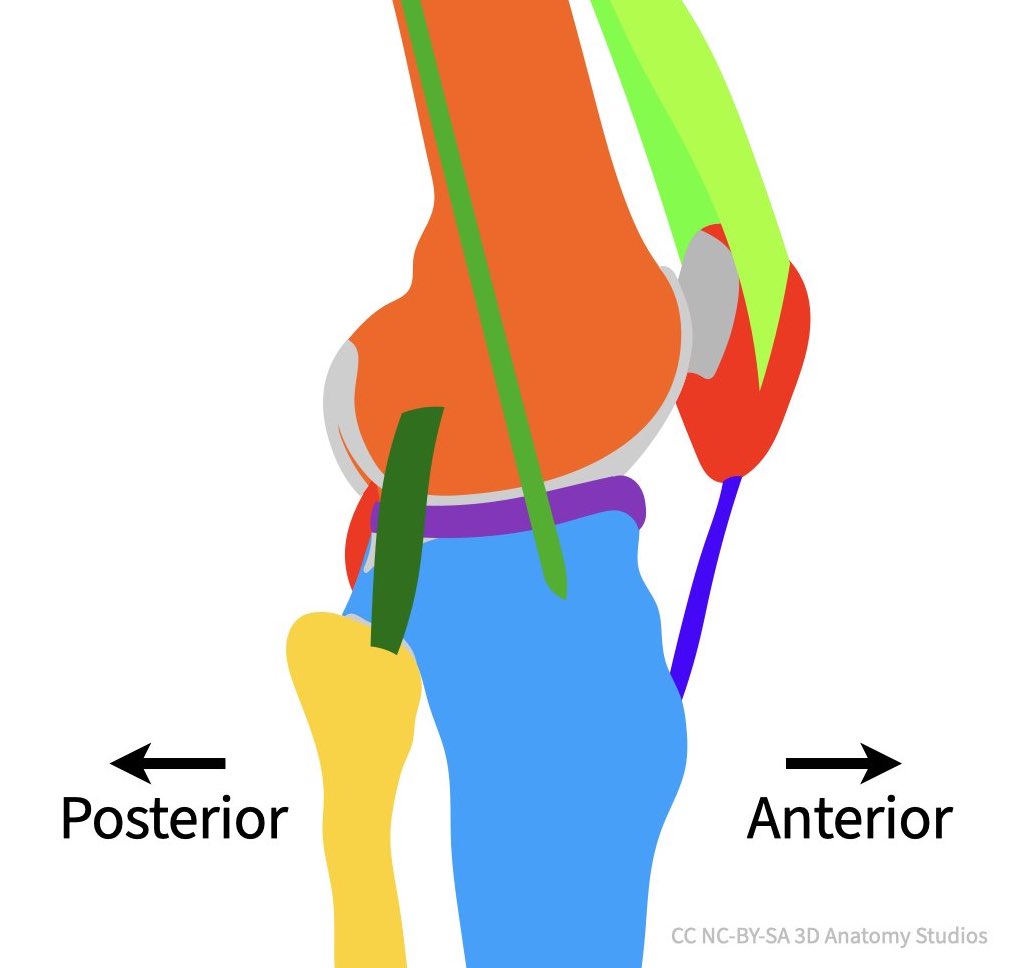
A diagram of the knee from a lateral view with arrows showing anterior versus posterior.
Simulate anterior-posterior translation with your knee kit (use the video below if you need help) and then draw the axes of rotation on each of the three diagrams in the fourth row of your worksheet.
Video of anterior-posterior of the knee using knee kits, maybe at full extension and 90 degrees of flexion
Complex surfaces and ligament attachments create complex motions
As you've seen, your knee moves in complex ways. These complex motions are the direct result of the complex 3D contact surfaces between the femur and tibia and the complex network of ligaments that join the femur, tibia, and fibula to one another. In future activities, you'll use your understanding of these motion axes to investigate the knee ligaments work together to guide the motion of the knee.